
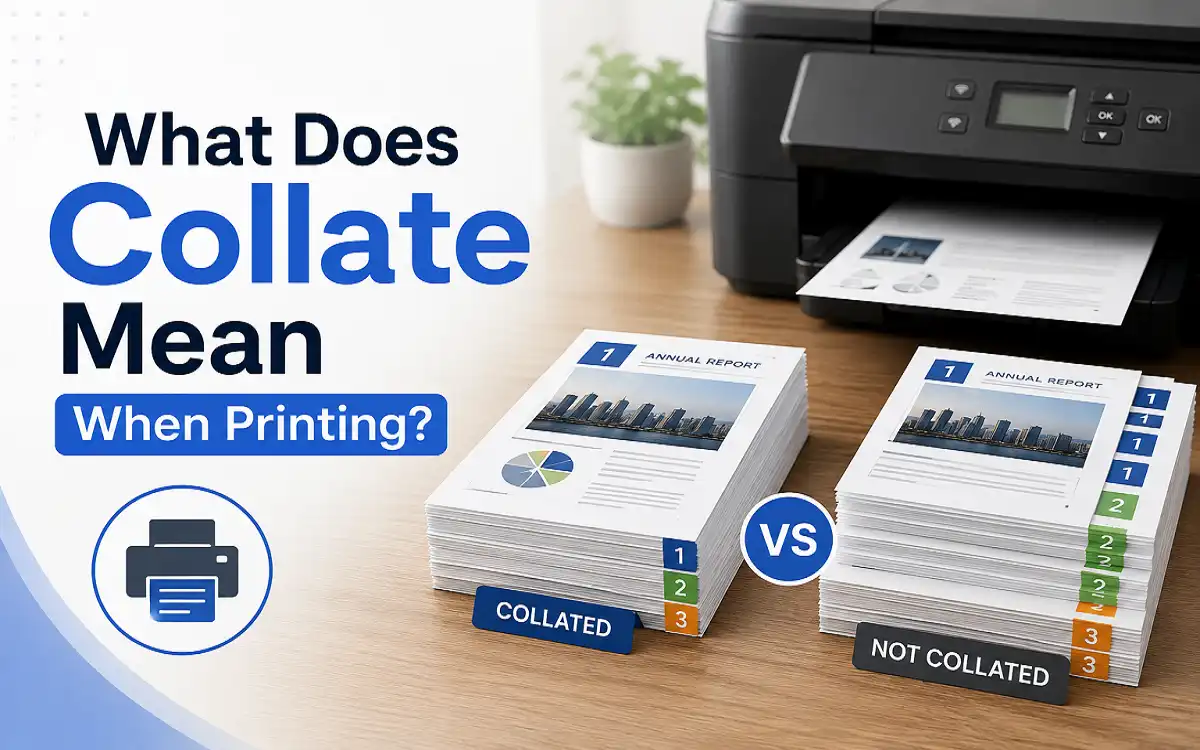
What Does Collate Mean When Printing? A Beginner’s Guide to Collate Printing
You click Print and choose three copies of your document. Just before you send the job to the printer you notice a small checkbox labeled Collate. Many people leave it alone because they are not sure what it does. Others turn it on or off without thinking about it.
That small setting can make a big difference when you are printing a document with several pages. It does not change the words on the page and it does not change the quality of the print. It only changes the order in which the pages come out of the printer.
If you print reports for work school assignments client presentations or instruction manuals you have probably used collated printing without even realizing it. Once you understand how it works choosing the right setting becomes easy.
This guide explains what does collate mean when printing how collate printing works and when you should choose collated or uncollated printing. You will also see real examples that make the difference easy to understand.
What Does Collate Mean When Printing?
Imagine you are getting ready for a meeting. You have a five page report and everyone in the room needs a copy. You print ten copies and walk over to the printer.
If every report is already in the correct page order the printer has done the sorting for you. That is what the Collate setting does.
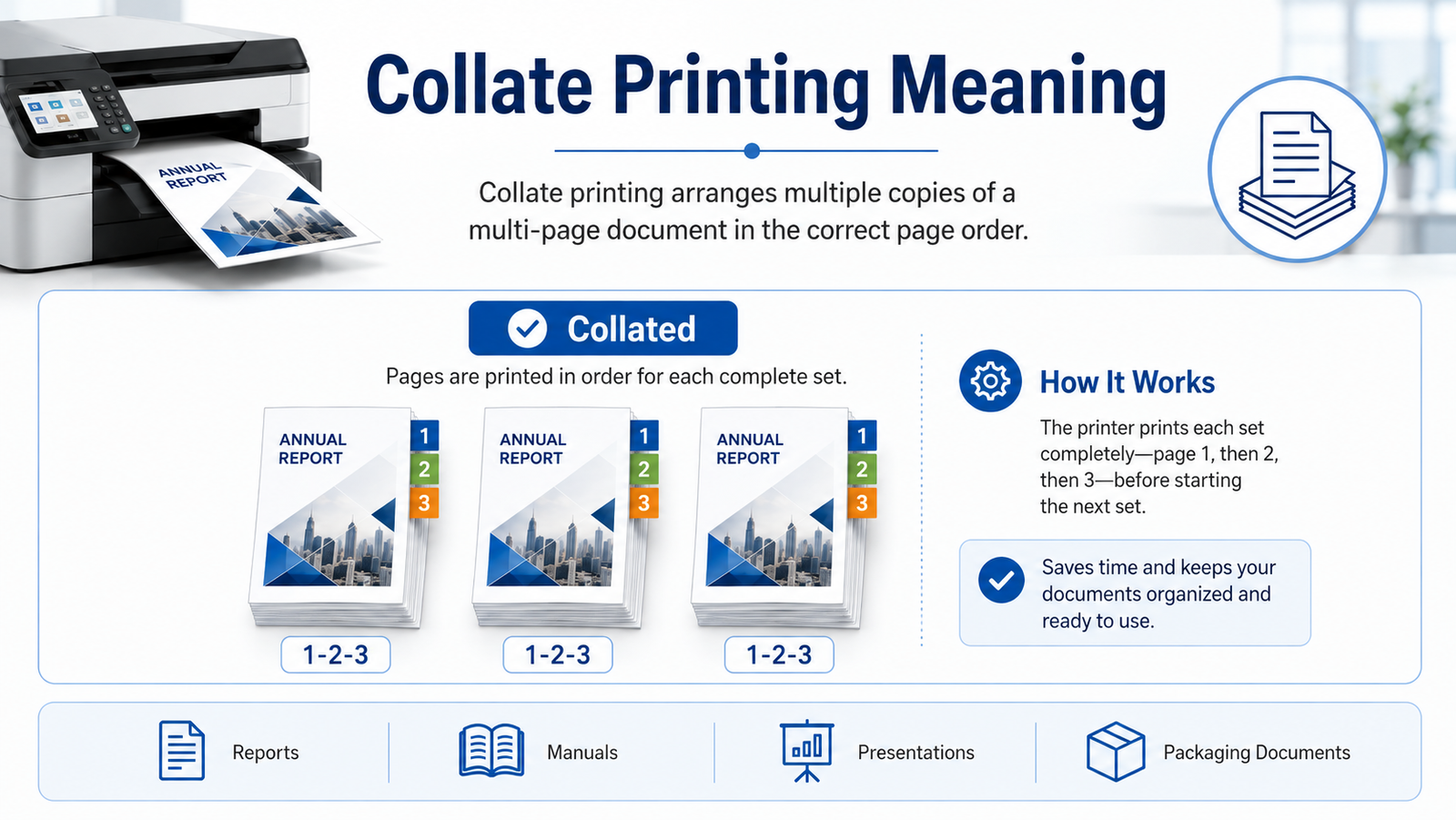
A simple collate definition is arranging pages into complete document sets before the printer finishes the job. Instead of grouping identical pages together the printer creates one complete copy before moving to the next.
Collate Printing Meaning
The collate meaning in printing is arranging pages into complete document sets before the print job finishes. Instead of printing every copy of page one first the printer finishes one complete document before starting the next one.
Here is a simple example
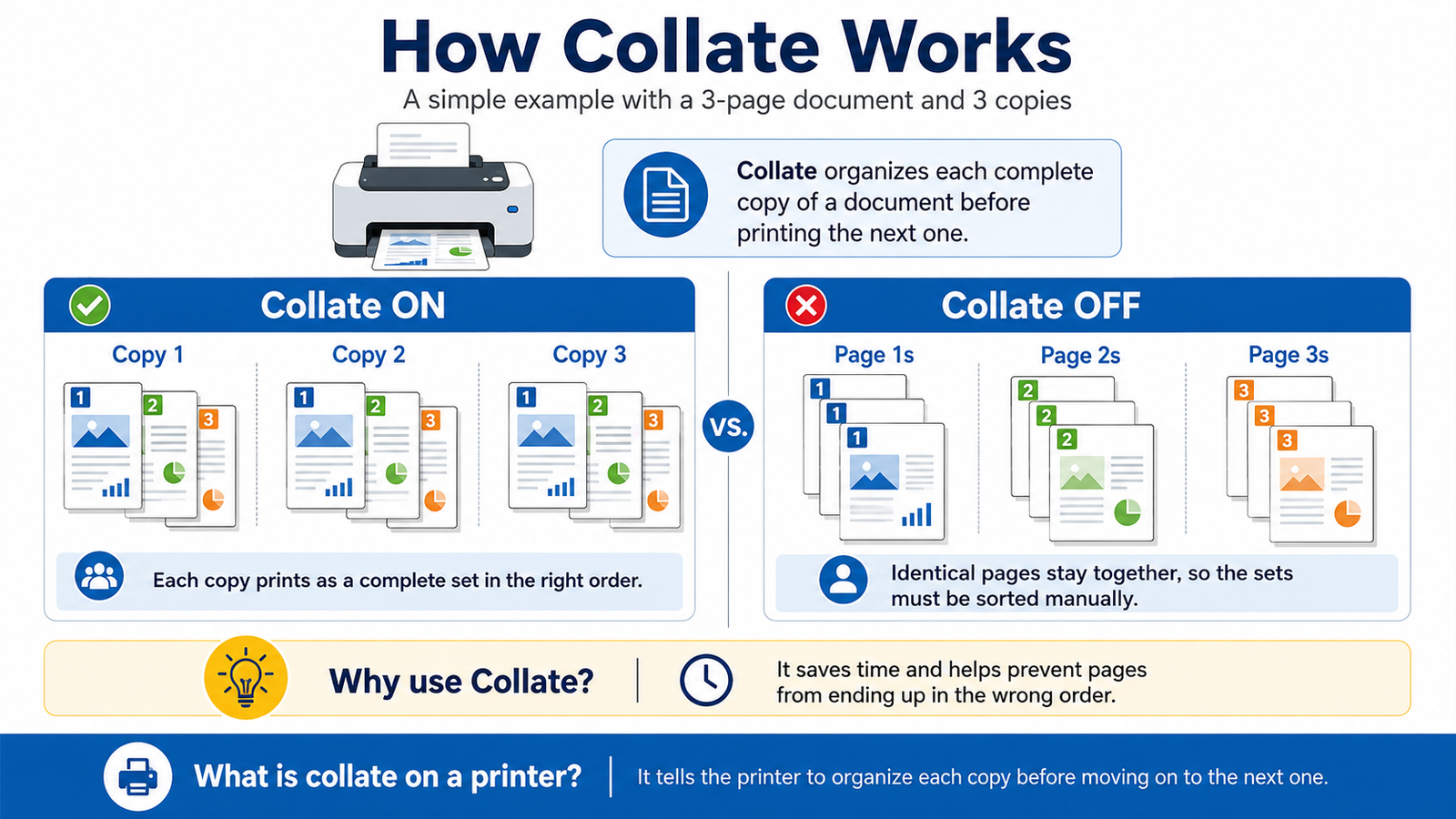
You have a document with three pages and you want three copies.
Collate ON
Copy 1
Page 1
Page 2
Page 3
Copy 2
Page 1
Page 2
Page 3
Copy 3
Page 1
Page 2
Page 3
Now look at the same document with Collate turned off.
Collate OFF
Page 1
Page 1
Page 1
Page 2
Page 2
Page 2
Page 3
Page 3
Page 3
The printer still prints every page. The difference is that identical pages stay together instead of complete document sets. Someone has to sort every page before the reports are ready.
That is why people use the Collate option. It saves time and helps prevent pages from ending up in the wrong order.
If someone asks what is collate on a printer the easiest answer is this.
It tells the printer to organize each copy of a document before moving on to the next copy.
How Does Collate Printing Work?
The Collate setting only matters when two things happen at the same time.
Your document has more than one page.
You are printing more than one copy.
If you print a single page document turning Collate on or off does not change anything. There is nothing for the printer to organize because every page is already the same.
The setting becomes useful when you print reports manuals proposals presentations training guides or any other document with several pages.
Think about printing twenty employee handbooks. Each handbook has thirty pages. Without collating the printer produces stacks of page one then stacks of page two then page three and continues until every page has been printed. Before anyone can use those handbooks somebody has to put every page into the correct order.
With collated printing every handbook comes out as a complete set. You can pick it up staple it and hand it to the next person without doing any extra work.
That may not seem important when printing two copies. It becomes a huge time saver when you are printing fifty or one hundred copies.
Does collate affect printing speed?
Most modern printers handle collated printing automatically. You will probably never notice a difference.
Large commercial print jobs may take slightly longer because the printer keeps track of page order while it works. Even then the few extra seconds are usually worth it because nobody has to sort hundreds of pages afterward.
Collate vs Uncollated Printing
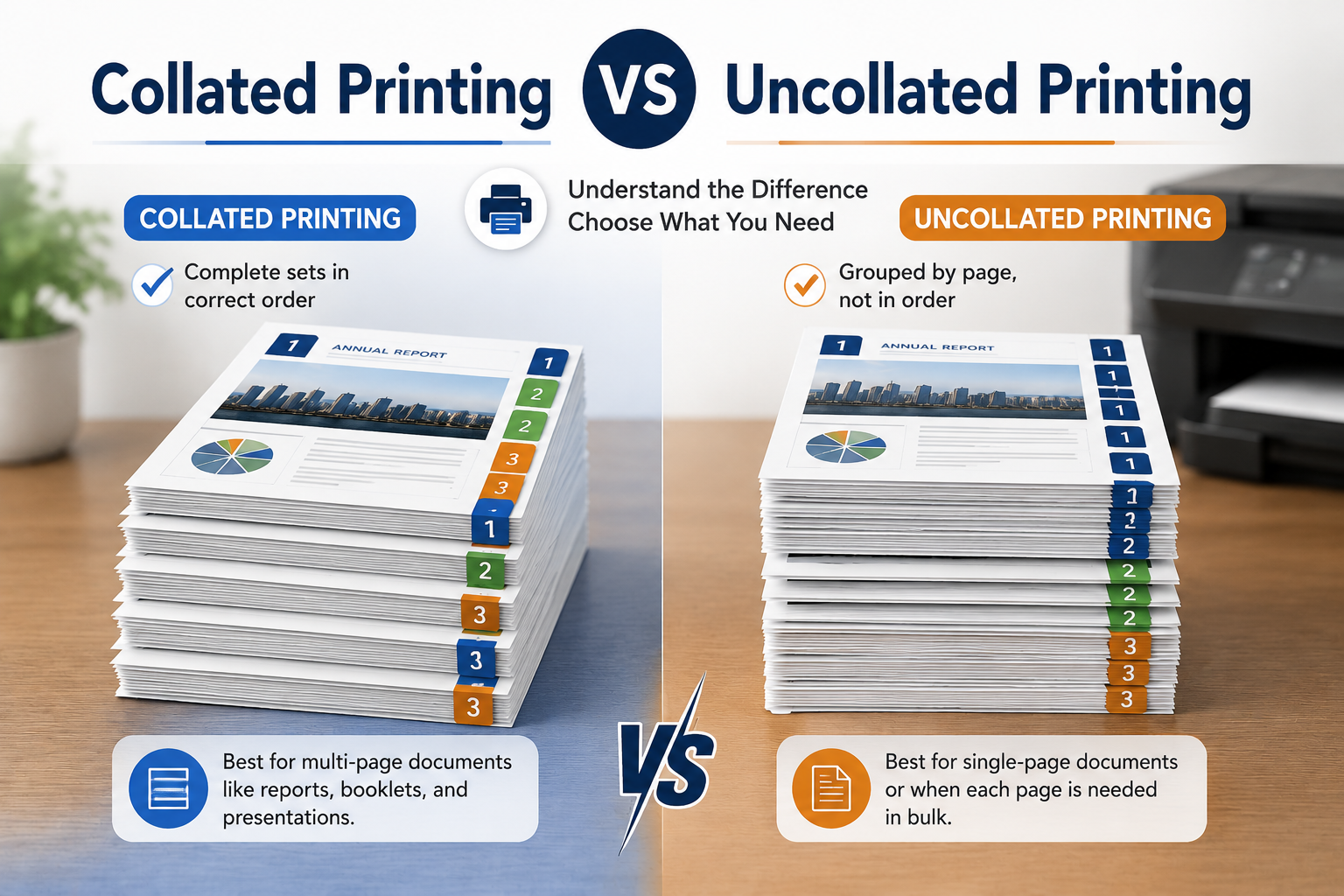
Many people think one option is better than the other. That is not really true. The right choice depends on what you are printing.
The table below shows the difference.
| Feature | Collated Printing | Uncollated Printing |
| Page order | Complete document sets | Same pages grouped together |
| Manual sorting | Usually not needed | Required |
| Best for | Reports manuals presentations books | Flyers forms worksheets labels |
| Ready to distribute | Yes | No |
| Time saved | High | Low |
Suppose you are printing registration forms for an event.
Every form is one page.
There is no reason to collate because every page is identical.
Now imagine you are printing twenty copies of a product manual with sixteen pages.
Collated printing makes much more sense because every manual comes out ready to fold staple or bind.
Should I print collated or uncollated?
Choose collated printing when each person needs a complete document.
Choose uncollated printing when you need large quantities of individual pages.
For example collated printing works well for:
- Business reports
- Training manuals
- School projects
- Product guides
- Client presentations
Uncollated printing works better for:
- Application forms
- Promotional flyers
- Event handouts
- Coupons
- Single page worksheets
What is the difference between collate and sort in printing apps?
Some printers and software use the word Sort instead of Collate. In most cases both settings do the same thing. They organize complete document sets instead of printing stacks of identical pages.
If your print window shows Sort instead of Collate you usually do not need to worry. The result is the same.
Most people do not think about the Collate setting until they accidentally print a large document the wrong way. After that they rarely forget it. It is a small feature but it can save a surprising amount of time when you print reports manuals presentations or any other multi page document.
When Should You Use the Collate Option?
The Collate setting is most useful when every person needs a complete copy of the same document. Instead of sorting pages by hand you can pick up each copy as soon as it comes out of the printer.
Here are some common situations where collated printing makes sense.
Reports
Business reports often contain several pages. A monthly sales report or project update is much easier to distribute when every copy is already in the correct order.
School Assignments
Teachers and students print research papers presentations and classroom projects every day. If several copies are needed collated printing keeps every assignment together and ready to staple.
Client Presentations
Nobody wants to hand a client a presentation with pages out of order. The Collate option helps make sure every presentation is complete before the meeting begins.
Training Manuals
Training materials usually include instructions diagrams and reference pages. Printing them as complete sets saves time and reduces mistakes.
Product Manuals
Instruction manuals are easier to assemble when every copy comes out in the correct sequence. That is one reason commercial printers almost always use collated printing for multi page manuals.
Any document with several pages becomes easier to manage with collated printing. Reports proposals employee handbooks instruction booklets and training guides are much easier to distribute when every copy is already arranged in the correct order.
What is the most common use of collation in the packaging industry?
Packaging companies print much more than product boxes. Many products include instruction booklets warranty information safety guides or assembly manuals inside the package.
These documents often contain several pages. Printing them as collated sets allows packing teams to place one complete manual inside each box without checking page order. It speeds up production and helps prevent missing or misplaced pages.
When Is Uncollated Printing the Better Choice?
Collated printing is helpful for many jobs but it is not always the right choice.
If every page is meant to be handed out separately there is no reason to organize complete document sets.
Here are a few examples.
Single Page Flyers
Flyers are usually distributed one page at a time. Every copy is identical so collating adds no value.
Registration Forms
Many offices print hundreds of blank forms. Since each form is only one page the print order does not matter.
Classroom Worksheets
Teachers often print one worksheet for every student. Uncollated printing works perfectly because every page is the same.
Event Handouts
Maps schedules coupons and promotional sheets are usually given out individually. There is no need to group them into sets.
Labels
Shipping labels barcode labels and product labels are also printed without collation because each label is used on its own.
How do you use the Collate option when printing multiple pages?
The process is almost the same on most printers.
- Open the document you want to print.
- Select Print.
- Enter the number of copies.
- Find the Collate checkbox in the print settings.
- Turn it on if you want complete document sets.
- Click Print.
If you leave the option turned off the printer groups identical pages together instead.
Does Collate Work With Double-Sided Printing?
Yes.
This is one of the most common questions people ask because the two settings appear in the same print window.
Collating controls the order of the pages.
Double sided printing controls where the pages are printed.
You can use both settings at the same time.
For example imagine you need twenty copies of a thirty page employee handbook.
The printer can print on both sides of the paper and still produce every handbook in the correct page order. One setting saves paper and the other keeps each copy organized.
The two features work together but they do different jobs.
Collate vs Duplex Printing
People often confuse these two printer settings because both appear before printing starts. They solve different problems.
| Feature | Collate | Duplex Printing |
| Controls page order | Yes | No |
| Prints on both sides | No | Yes |
| Saves paper | No | Yes |
| Organizes complete document sets | Yes | No |
| Best for | Reports manuals presentations | Books reports contracts |
A simple way to remember the difference is this.
Collate organizes pages. Duplex saves paper.
Common Collate Printing Mistakes to Avoid
The Collate option is easy to use but people still make a few common mistakes.
Confusing Collate With Duplex
These settings are completely different. Turning on one does not automatically turn on the other.
Forgetting to Turn On Collate
This usually happens when printing large reports. The printer finishes the job correctly but every page is grouped with identical pages. Someone then has to spend time sorting everything by hand.
Using Collate for Single Page Documents
If your document only has one page the setting does not change anything. Whether Collate is on or off the result is exactly the same.
Assuming Every Printer Works Differently
Most modern printers use the same collating process. The location of the setting may change but the function is almost identical across different brands.
Can every printer collate documents?
Almost every office printer sold today supports collated printing. HP Canon Brother Epson Xerox Ricoh and many other manufacturers include this feature through their printer software or printer driver.
Some basic receipt printers and older models may not offer automatic collation but they are the exception rather than the rule.
Conclusion
The Collate setting is easy to ignore until you need multiple copies of the same document. Once you understand how it works it becomes one of the most useful options in the print menu.
If every person needs a complete report manual presentation or booklet choose collate printing. The printer organizes every copy in the correct page order which saves time and reduces manual work.
If you are printing single page flyers forms labels or other individual sheets uncollated printing is usually the better choice because page order does not matter.
Understanding what does collate mean when printing helps you make the right choice before every print job. Whether you are printing office reports classroom materials product manuals or packaging inserts choosing the correct setting helps every print job stay organized from start to finish. It also makes document printing more efficient whether you are working in an office a school a print shop or a packaging business.
FAQs
Is collating always necessary?
No. It is only useful when you are printing multiple copies of a document that contains more than one page.
What does collate mean in words?
The word collate means to gather or arrange items in the correct order. In printing it refers to organizing pages into complete document sets.
What happens if I do not collate?
The printer groups identical pages together. You must arrange every document manually after printing.
What is an example of collate?
Imagine printing five copies of a ten page report. With collated printing the printer finishes one complete report before starting the next one.
How do I collate documents using an office printer?
Open the Print menu choose the number of copies turn on the Collate option and then start the print job.
Does collate use more paper?
No. The Collate setting only changes the order in which pages are printed. It does not increase the number of pages and it does not use extra paper.
Does collate work with PDF files?
Yes. PDF files support collated printing just like Word documents and most other printable file types. As long as your printer includes the Collate option you can print PDF documents in complete document sets.