What Is a Dieline in Packaging and Printing?
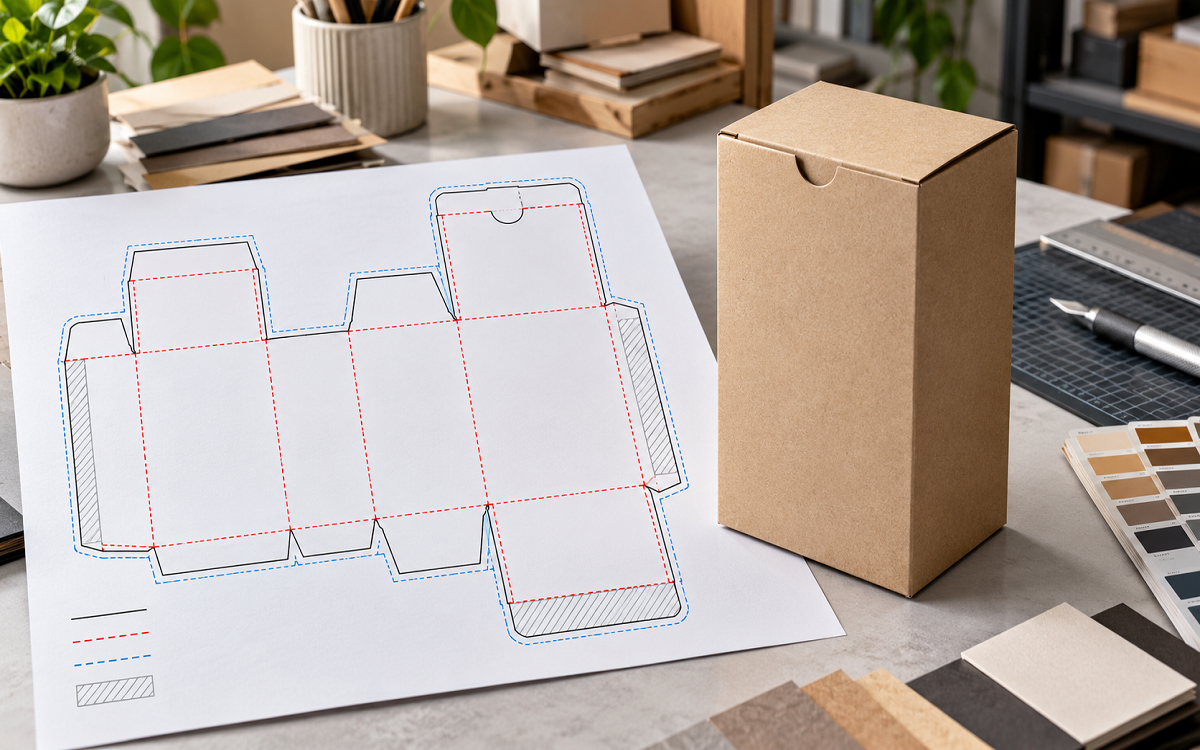
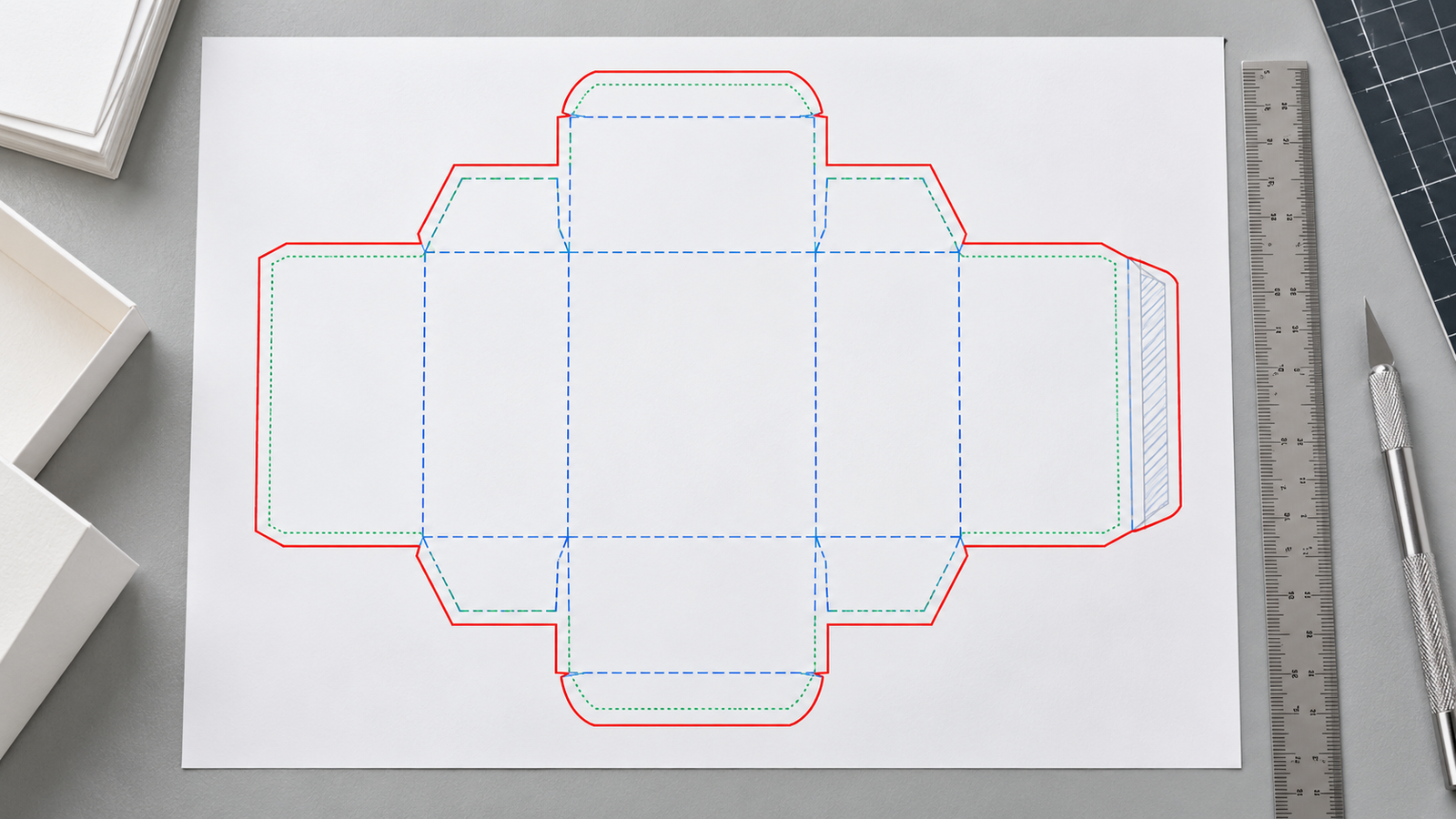
A dieline is the flat two-dimensional blueprint of a packaging structure. It shows exactly where the material gets cut, where it folds, where artwork sits and where glue holds it together. Without it a box is just a design on a screen. With it that design becomes something a printer can produce and a customer can hold.
This guide covers what a dieline includes, why it matters, how it gets made and what goes wrong when it is done incorrectly.
What Is a Dieline?
The dieline meaning is straightforward in practice. It is the file that tells every person in the production chain what to do and where. Printers follow the cut lines. Folders follow the crease lines. Designers follow the panel boundaries. Everyone works from the same confirmed structure.
It does three jobs at once. It guides the printer on where to cut and score the material. It tells the designer exactly where artwork can and cannot go. And it gives the manufacturer a confirmed structure to build from.
Dielines are used across dieline packaging formats including folding cartons, rigid boxes, tuck boxes, mailer boxes, labels, sleeves and bags. The format changes. The principle stays the same.
What Does a Packaging Dieline Include?
| Element | Purpose |
| Cut or trim lines | Mark where the material gets cut during die-cutting |
| Fold or crease lines | Show where the sheet scores and folds into shape |
| Bleed area | Extends background artwork beyond the trim edge to prevent white borders |
| Safe zone | The inner boundary where text and logos must stay to avoid being cut |
| Glue tabs | Panels that get adhesive applied during assembly — no print here |
| Perforation lines | Indicate tear-away or partial-cut sections |
| Special finishing areas | Mark zones for spot UV, foil, embossing or debossing |
Each element serves a specific production function. Misread one and the finished box either does not fold correctly or arrives with artwork in the wrong place.
Why Are Dielines Important?
A dieline in packaging is not a formality. Dielines are what stop expensive mistakes from reaching a full production run. Get the structure wrong at this stage and those errors show up on finished boxes that have already cost time and material.
Accurate dimensions — The dieline confirms the box is built to the correct internal size for the product going inside. Wrong dimensions mean a box that does not close or leaves the product loose.
Artwork placement — Panels are clearly mapped so designers know exactly where each face of the box sits. Text and logos land where they are supposed to.
Prevents cut-off errors — Anything outside the safe zone risks being trimmed. The dieline makes that boundary visible before artwork is placed.
Panel alignment — When the box folds the panels need to meet cleanly. The dieline confirms this before the sheet ever goes to press. This matters especially for magnetic closure boxes and rigid boxes where structure and finish both need to be exact.
Reduces waste — Catching errors at the dieline stage costs nothing. Catching them after a production run costs significantly more.
Supports prototyping — A printed and folded dieline proof confirms the structure works before bulk approval.
How Is a Packaging Dieline Created?
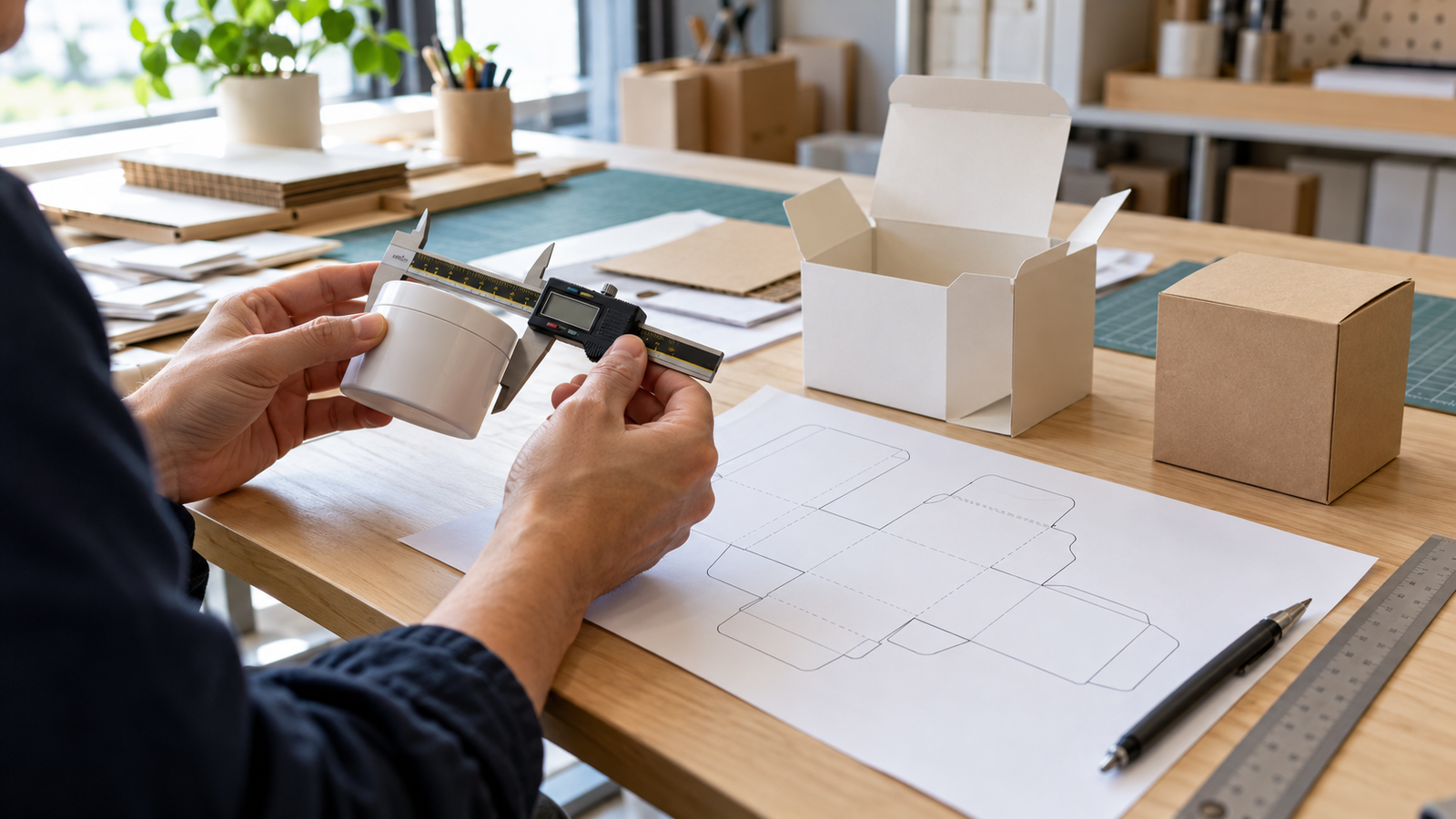
Select the packaging style — Box type determines the structural template. A tuck box has different panels and fold logic than a mailer box or a tulip box.
Measure the product — Internal dimensions come first. Width, length and height of the product determine the usable space inside the box. Understanding length width height dimensions before specifying a dieline prevents the most common sizing errors.
Confirm material type and thickness — Board thickness affects how the panels sit after folding. It needs to be factored into the dieline before the structure is built.
Build the structural layout — Cut lines, fold lines, tabs and panel positions are mapped out based on the confirmed dimensions and material spec.
Add guides — Bleed area, safe zone and no-print areas for glue tabs are added to the structural file.
Place artwork — Design elements go onto the correct panels within the confirmed safe zones.
Test with a prototype — A physical sample or 3D mockup confirms the structure folds correctly and the product fits before bulk production is approved.
Approve the final file — The confirmed dieline and artwork go to production together.
Who Creates the Dieline?
Packaging manufacturer — The most reliable source. Art Impact Packaging provides correct dieline templates as part of the order process so artwork goes onto a confirmed structure.
Structural packaging designer — Specialist who builds dielines from product dimensions and material specifications.
Printer or die-cutting specialist — Works from an approved structural template and confirms the file is production-ready.
Graphic designer — Can place artwork onto a supplier-approved template but should not build the structural dieline from scratch without packaging engineering experience.
The safest approach is to request the correct dieline from your packaging supplier before touching the artwork. Building artwork first and adjusting the dieline around it is where most errors start.
Common Dieline Mistakes to Avoid
Wrong product dimensions — The most common error. Measure the product at its widest point before specifying anything.
Text outside the safe zone — Anything near the trim edge risks being cut. Keep all critical text and logos inside the safe boundary.
Background not extended into bleed — A background that stops at the trim line produces a white border on the finished box. Extend it fully into the bleed area.
Artwork over glue tabs — Glue areas need clean unprinted board for adhesion. Printing over them affects how the box holds together.
Designing across folds without checking alignment — Graphics that cross from one panel to another need to be checked in the folded position. They rarely line up the way they look flat.
Ignoring material thickness — Thicker board changes how panels sit after folding. A dieline built without accounting for it produces a box that does not close flush.
Low-resolution or flattened files — Rasterized or low-res files cause print quality issues. Vector files keep detail at any size.
Wrong file version sent to production — Label files clearly with revision numbers. Sending an earlier version is a straightforward mistake with expensive consequences.
Approving bulk production without a sample — A physical prototype confirms the structure before a full run. Skipping it removes the last checkpoint before production costs are committed.
Dieline Pre-Production Checklist
Before approving any dieline for production run through this:
- Product fits correctly with room for inserts or tissue if needed
- Artwork is oriented correctly on every panel
- Bleed extends fully to the bleed boundary on all sides
- Safe zone margins are respected throughout
- Barcodes and legal text are placed inside the safe zone
- Glue tabs and no-print areas are clean
- Color mode is set to CMYK
- All fonts are outlined and images are linked at full resolution
- File name includes the correct revision number
- A physical sample or 3D mockup has been reviewed and approved
Why an Accurate Dieline Is Non-Negotiable
A dieline is where packaging goes from concept to something that can actually be made. Get it right and production runs cleanly. Get it wrong and errors show up on finished boxes that have already cost time and material.
Test before approving. Approve before producing.
Art Impact Packaging provides dieline support across all box formats from corrugated shipping boxes to cosmetic packaging. Get a free quote and get the structure confirmed before artwork starts.
FAQs
What is a dieline in packaging?
The flat structural blueprint of a package showing where to cut, fold, glue and place artwork before it goes to production.
Why is a dieline important?
It prevents sizing errors, misplaced artwork and production waste. It is the checkpoint between a design and a finished box.
What is the difference between a dieline and artwork?
The dieline is the structural file showing cut and fold lines. Artwork is the design placed onto those panels. Both are needed. Neither replaces the other.
What are bleed and safe zones in a dieline?
Bleed is the area beyond the trim line where background artwork extends to prevent white borders. The safe zone is the inner boundary where text and logos must stay to avoid being cut off.
Which file format is best for a packaging dieline?
AI or PDF for most production workflows. DXF for CAD-based cutting systems. Vector formats preserve detail at any scale.
Can I create a dieline in Adobe Illustrator?
Yes. Illustrator is the standard tool for dieline work. Cut lines, fold lines and safe zones are typically set up on separate locked layers using assigned colors.
Who should create the dieline for my packaging?
Request it from your packaging supplier. Art Impact Packaging provides confirmed structural dielines as part of the order process so artwork is placed on a structure that is already production-ready.